Chunkify is now a video streaming platform
Create one video asset and Chunkify prepares adaptive streaming, a poster, and timeline previews in your own storage, with playback that starts before encoding finishes.
By the Chunkify team
Video streaming for every developer and every team
Until now, adding video to a product meant becoming a video engineer. You picked an encoder, designed a rendition ladder, packaged HLS, connected storage and a CDN, built an upload flow, chose a player, and bolted analytics on top. Every piece came from somewhere else, and gluing them together was your job.
We think every developer and every product team should be able to ship great video, not only the ones with video experts on staff. So Chunkify now covers the whole path, from the upload button to the play button and the analytics after it. You create one video asset, and the upload, streaming, playback, captions, and analytics pieces are already there and already fit.
How developers add a service is changing too. More and more, you describe what you want and a coding agent writes the integration. So we built for that from the start: the Chunkify skill teaches Claude Code, Cursor, or Codex how to add uploads and playback to your app the right way, and Chunkify MCP lets the agent create and manage your videos directly. One prompt can take a project from no video to a working player.
What has not changed is who owns your video. Chunkify writes every file to the storage you choose and serves it through your CDN, with Amazon S3, Cloudflare R2, and other S3-compatible providers. Our analytics server is open source: use it managed, run it on your own servers, or send events to PostHog, Datadog, and OpenTelemetry. Keep the stack you already use. Your files and your data stay yours, so you are never locked in.
This release also brings two new plans, Pay as you go and Team, with prices you know before you upload.
From transcoding jobs to video assets
With the Jobs API, putting a video in front of viewers meant building the stream yourself. You chose a resolution ladder, created one HLS job for each rendition, grouped them under a manifest, and created more jobs for thumbnails.
A video asset replaces that work. You add a source video and create one asset. Chunkify analyzes the video, chooses its streaming renditions, and publishes an HLS stream, a poster image, and timeline previews for seeking. The stream uses H.264 and is built for on-demand video.
import Chunkify from '@chunkify/chunkify';

const client = new Chunkify({
  projectAccessToken: process.env.CHUNKIFY_TOKEN,
});

const source = await client.sources.create({
  url: 'https://example.com/path/to/video.mp4',
});

const asset = await client.assets.create({
  source_id: source.id,
});
A source can also come from a browser upload or from a file already in your connected storage.
Transcoding is still here. When you need a specific file rather than a stream, the Transcoding API creates MP4, WebM, or audio outputs in H.264, H.265, VP9, or AV1, on every plan.
Playback starts before encoding finishes
Viewers should not wait for a whole ladder to encode. Chunkify publishes an initial stream while it prepares the asset and sends asset.playback_ready as soon as that stream can play. The poster and timeline previews follow, and the asset then becomes ready.
The other renditions are encoded when a player first requests them. Viewers keep watching the initial stream in the meantime, and you keep using the same playlist URL throughout.
A streaming ladder chosen for each video
Chunkify analyzes each video's content and selects the resolutions and bitrates its stream needs, up to 4K. A simple screen recording and a fast sports clip get different ladders, so you do not store or deliver renditions a video has no use for. You can set a minimum and maximum streaming resolution for a Project or for one asset.
Per-title selection is included in the preparation price. There is no setting to enable.
Files in your storage, delivery on your CDN
Chunkify writes the stream, poster, and previews to the S3-compatible storage you connect, such as Amazon S3 or Cloudflare R2. With a CDN configured on that storage, each asset returns a cdn_url for playback. Storage and delivery are billed by the providers you choose, at their rates.
To try an asset before connecting storage, use a Project with Chunkify temporary storage and play the asset's preview_url. Temporary files are deleted after 24 hours, so use connected storage for anything you publish.
Uploader and player components
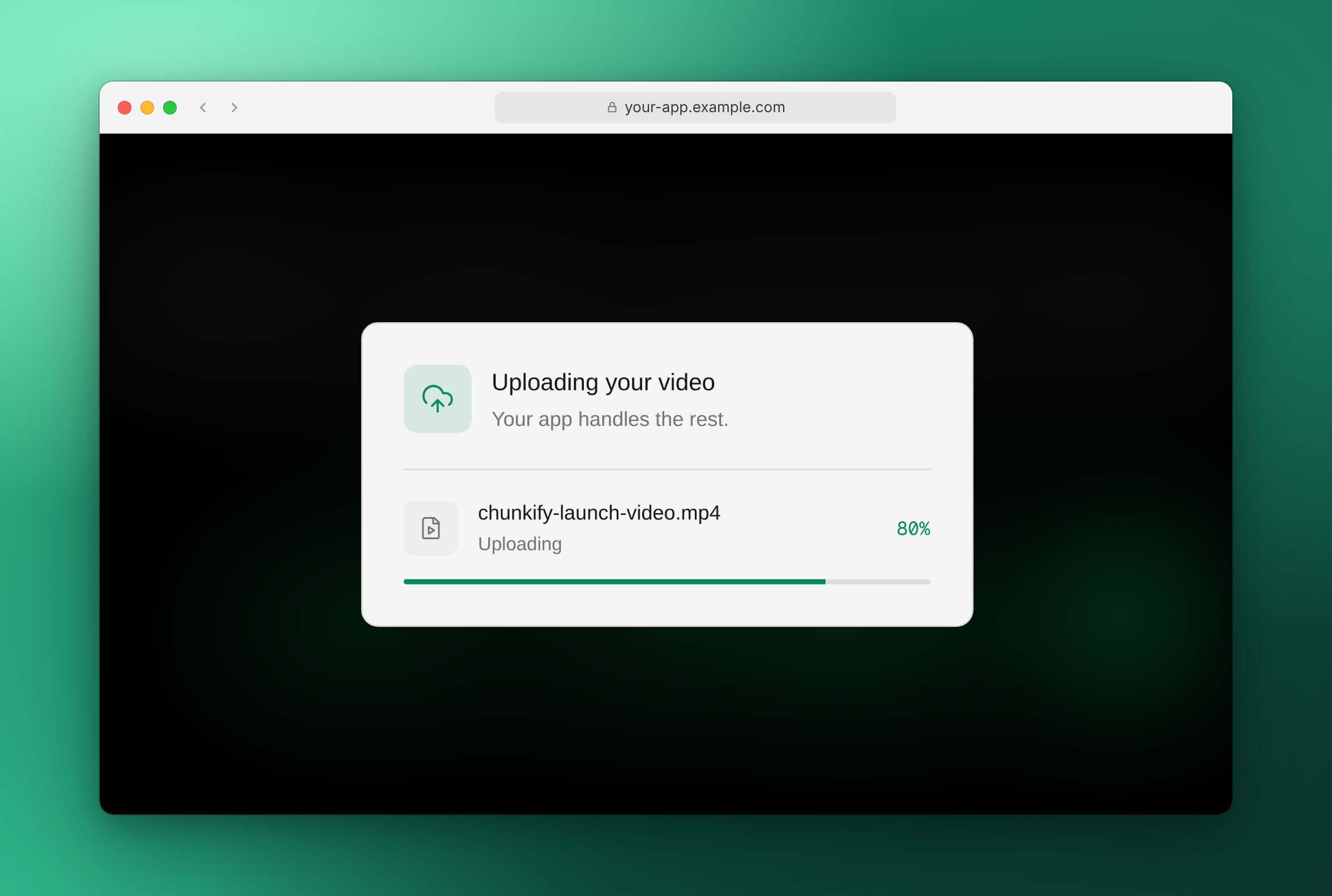
Two web components cover both ends of the workflow. The uploader sends a file from the browser to your storage using an upload session your server creates. It handles file selection, drag and drop, progress, and retries, and you style it to match your application.
The player takes the playback URL, poster, and timeline previews from the asset. The launch video at the top of this post plays in it:
<chunkify-player
  src="https://media.example.com/videos/manifest.m3u8"
  poster="https://media.example.com/videos/poster.jpg"
  thumbnails="https://media.example.com/videos/timeline.vtt"
  crossorigin="anonymous"
  controls
></chunkify-player>
The stream is standard HLS, so other HLS players and the native iOS and Android players can play it too.
Captions, translations, and MP4s with Workflows
A Workflow adds outputs after an asset is ready: static MP4 renditions for download, a transcript, generated captions, caption translations, and extra thumbnails. Build one in the Workflow editor, set it as the Project default, or choose a Workflow for a single asset.
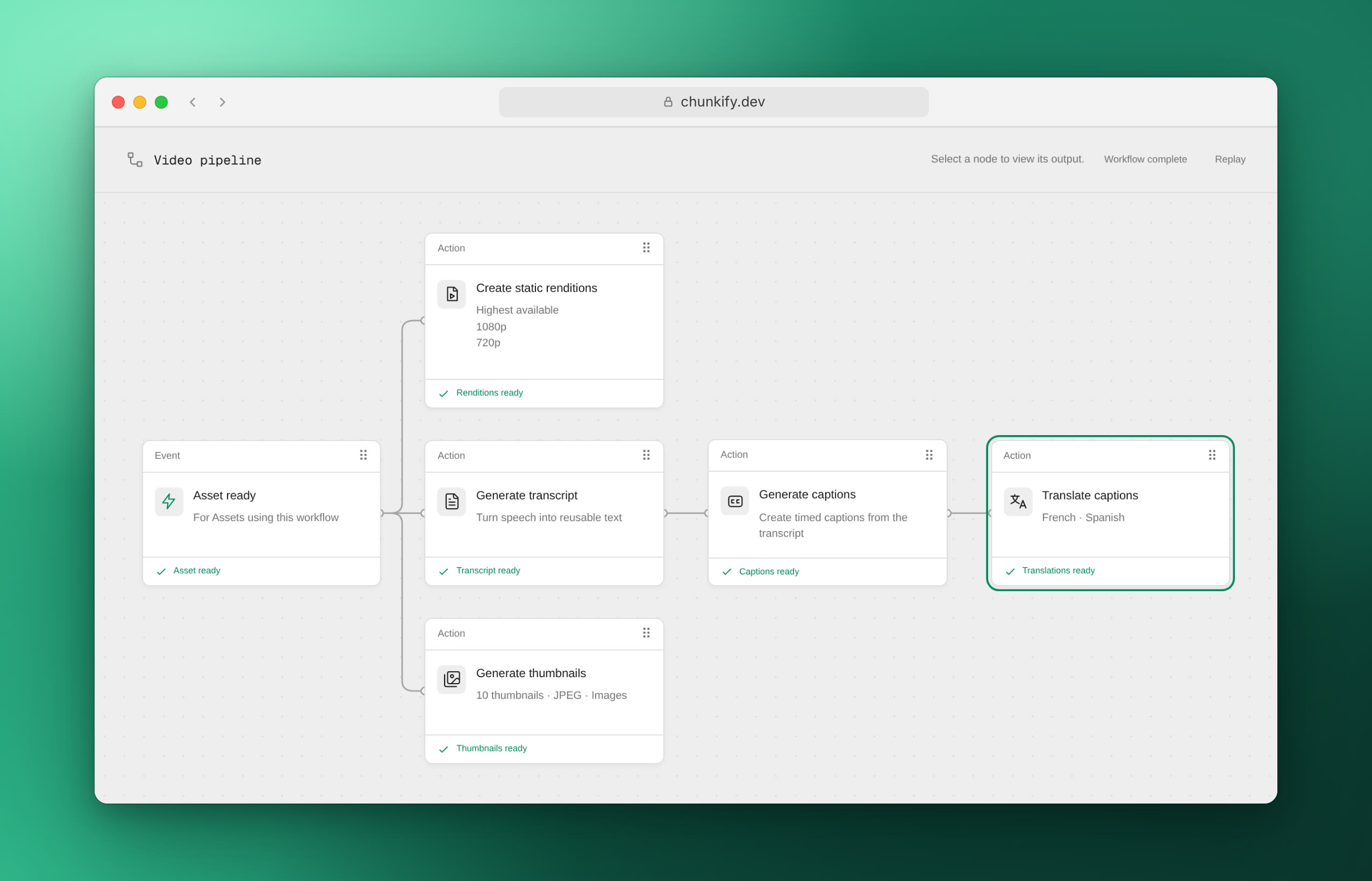
Every asset gets its stream, poster, and timeline previews without a Workflow. You can also request these outputs later for an existing asset.
Playback analytics
The player can report what people watch and how playback performs: views, watch time, startup time, buffering, playback errors, and a playback score. The dashboard breaks these down by video, browser, device, and location.
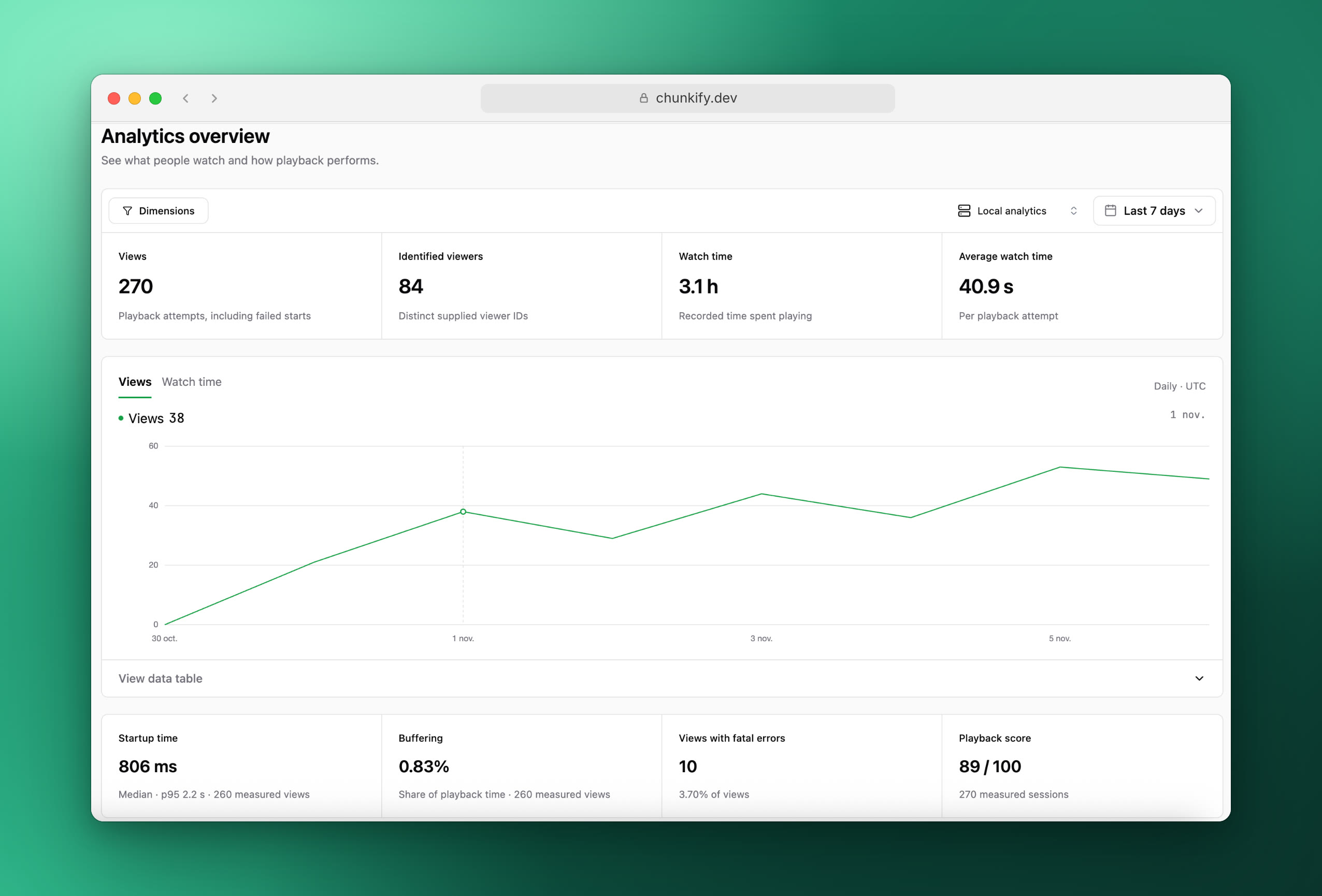
Use Chunkify-hosted analytics with 30 days of retention, or run the open-source analytics server on your own infrastructure and keep the data there.
The same events can also go to the tools you already use: PostHog, Datadog RUM, any OpenTelemetry-compatible endpoint, or your own backend. See send playback events.
Read the playback analytics documentation to add tracking to your player.
Manage videos from chat with Chunkify MCP
Chunkify MCP connects an AI client such as Claude, Cursor, or Codex to your Projects. You connect once with OAuth at https://api.chunkify.dev/mcp and choose the Projects the client can use. It can then read and manage their video assets, uploads, Workflows, and webhooks, and query playback analytics.
That turns routine work into a request:
- "Create a video asset from this hosted video URL and tell me when it is playable."
- "Build a workflow that captions a video and translates that track into French and Spanish."
- "Which videos earned the most watch time last week?"
MCP gives the client access to your Projects. To add uploads and playback to your own codebase, pair it with the Chunkify skill, which guides a coding agent through the integration. The guide to adding video with Claude Code or Cursor covers both.
Priced once per input minute
We no longer bill streaming by compute time. Compute time depended on the source, the encoder, and the work each video needed, so you could not know a video's cost before it was processed. Now that Chunkify chooses the renditions and runs the processing for you, the price has to be known in advance.
Streaming preparation is billed once per input minute, at a rate set by the source video's resolution. Every automatic streaming rendition is included, so a taller ladder does not multiply the charge, and more views do not repeat it.
| Source resolution | Pay as you go | Team |
|---|---|---|
| SD | $0.0075 | $0.0050 |
| HD | $0.0300 | $0.0200 |
| 2K | $0.0750 | $0.0500 |
| 4K / UHD | $0.1500 | $0.1000 |
Rates are in USD per input minute. Preparing a 10-minute HD video costs $0.30 on Pay as you go.
The only renditions you pay for are the static MP4 files you request for download, billed per output minute at their own resolution. Captions are also priced separately. See video streaming pricing.
New plans: Pay as you go and Team
Pricing now comes in two self-service plans. Pay as you go has no monthly fee and needs no credit card to get started, which suits smaller workloads with one developer. Team costs $50 a month and includes $50 of credit each month, with lower streaming preparation rates, more Projects and seats, and longer data retention.
| Pay as you go | Team | |
|---|---|---|
| Monthly fee | $0 | $50 |
| Monthly credit | None | $50 |
| Streaming preparation | Standard rates | Lower rates |
| Projects | 2 | 5 |
| Seats | 1 | 5, including the owner |
| Operational data retention | 7 days | 30 days |
| Analytics retention | 30 days | 30 days |
| Output transfer included each month | 50 GiB | 100 GiB |
Transcoding, static rendition, caption, and thumbnail rates are the same on both plans. For higher volumes, a Custom plan agrees rates, limits, and retention with your team. Compare the plans on the pricing page.
If you use the Jobs API
The Jobs API keeps working until it is sunset on February 1, 2027. Until then, you can move one code path at a time.
| What you create today | What replaces it |
|---|---|
| A group of H.264 HLS jobs | One video asset |
| MP4, WebM, or audio jobs | The Transcoding API |
| JPG jobs | Thumbnails |
Two things do not carry over to assets: HLS in H.265 or AV1, and encrypted HLS. Assets stream H.264; for H.265, AV1, or VP9 files, use the Transcoding API. The migration guide lists every changed field.
Get started
Follow Create your first video stream to go from a source file to a playable asset, then connect your storage and CDN before you publish.