Playback analytics, built into Chunkify Player
Chunkify Player 1.5.0 sends playback analytics itself. Turn it on with a few attributes, or copy a ready-to-use example from your Asset's Player integration tab.
By the Chunkify team
Analytics without extra code
Until now, tracking playback from Chunkify Player took a second script. You imported monitor() and the Chunkify adapter from @chunkify/player-analytics.
Chunkify Player 1.5.0 does this itself. Add the analytics attribute, your analytics server's public Player key, and an ID for the video:
<chunkify-player
  src="https://media.example.com/videos/manifest.m3u8"
  crossorigin="anonymous"
  controls
  playsinline
  analytics
  analytics-ingest-key="YOUR_PUBLIC_PLAYER_KEY"
  analytics-video-id="ast_3Ljtoej7c3Y1plabZoElbQwdwLh"
  analytics-video-title="Product tour"
></chunkify-player>
Here the player sends each view to the analytics server hosted by Chunkify, where you see watch time, startup delays, buffering, and playback errors for each video. When the video ID is an Asset ID from the same Project, the analytics dashboard also shows that Asset's title, poster, and timeline thumbnails.
Copy the Player key and allow your website's origin in your analytics server's settings, as described in Connect your player. Browsers can send events only from allowed origins.
In React, <ChunkifyPlayer> from @chunkify/player-react 1.4.0 takes the same settings as props, such as analyticsIngestKey and analyticsVideoId.
See the full list of analytics attributes for optional settings such as a signed-in user ID or an environment label.
Copy a ready-to-use example from the dashboard
On each Asset's page, the Player integration tab of the Playback section fills these attributes in for you, using your Project's default analytics connection:
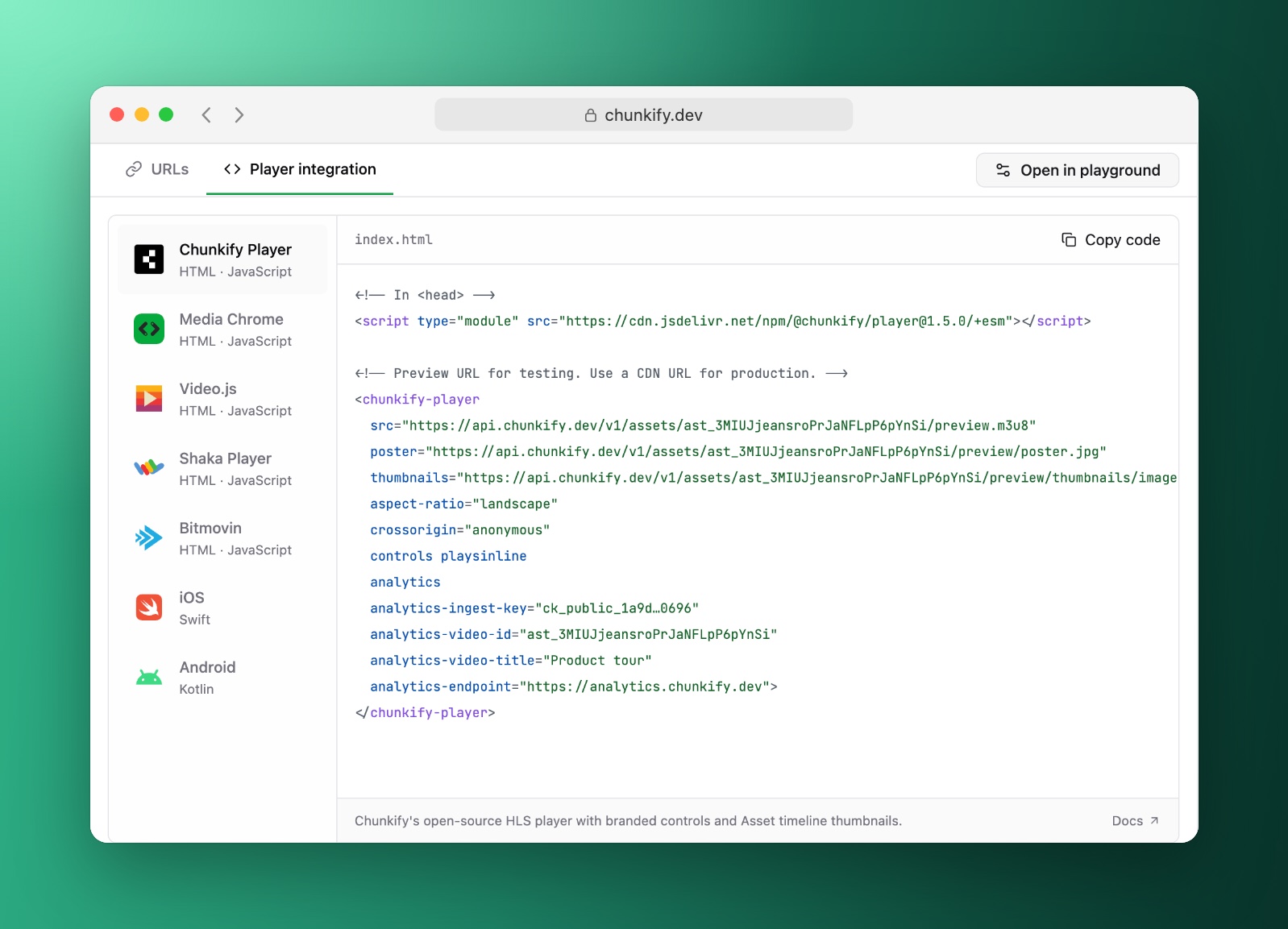
The Player integration tab of a sample Asset.
If the example in your dashboard has no analytics attributes, check that your Project has an analytics server connected in Analytics > Settings.
Label views with your own dimensions
Add one analytics-custom-<key> attribute per dimension, such as the viewer's plan or where the video is embedded, then filter and group reports by it:
analytics-custom-plan="premium"
analytics-custom-placement="homepage"
Keep personal data out of these values. See custom dimensions for their limits.
When to keep monitor()
The attributes run the same @chunkify/player-analytics code as monitor(), with its default settings and the Chunkify Analytics destination. Keep monitor() to also send events to PostHog, Datadog RUM, OpenTelemetry, or your own backend, or to change which events are sent. Existing monitor() integrations keep working with 1.5.0.
The attributes exist only on Chunkify Player. For HTML video, hls.js, Video.js 10, or Shaka Player, use monitor() from @chunkify/player-analytics.
Use one approach per player. If a player uses both, each playback is recorded twice.
Get started
Update to @chunkify/player 1.5.0 or @chunkify/player-react 1.4.0. Playback analytics in the player documentation covers viewer consent, self-hosted servers, and how the attributes behave when they change.